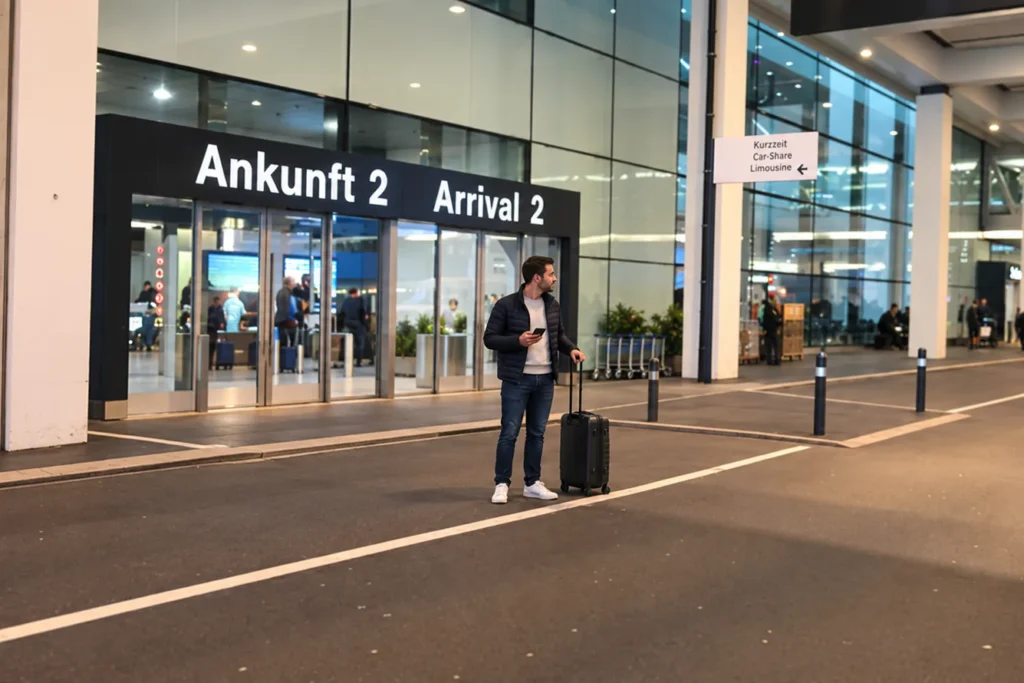
You land in Zurich, and somewhere outside your chauffeur is waiting. The question is always the same: when exactly should he pull up? Too early, and he is standing in a no-stopping zone. Too late, and you are standing at the curb with your luggage.
That is why we send you a pickup link. On the way you tap where you are right now — your chauffeur sees it immediately. No app, no sign-up, no location access.
First: the email with your pickup link
The day before your journey you receive a message from us. It contains everything about your pickup — and the link this article is about.
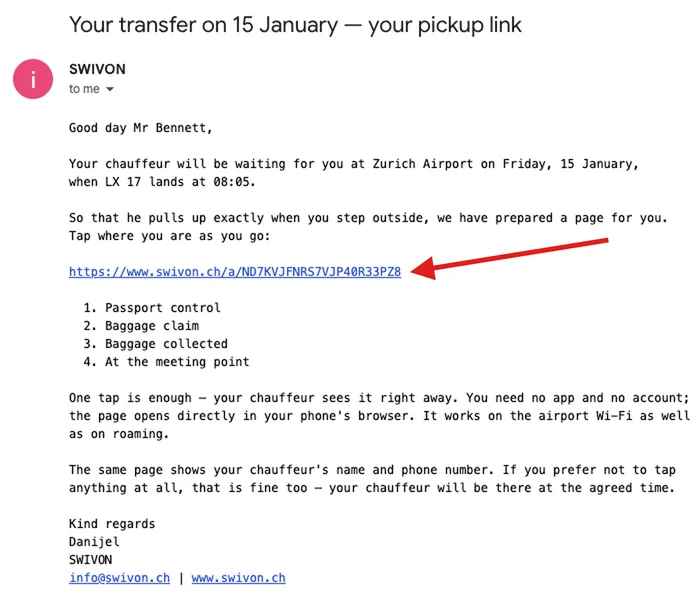
Feel free to open the link beforehand — that does not report anything yet. Only what you tap at the airport is counted. It is best to keep the message somewhere you can find it right away after landing.
From the aircraft to the vehicle in four steps
The link opens in your phone’s browser. You see four fields. Tap the one for where you are at that moment — there is nothing more to do.
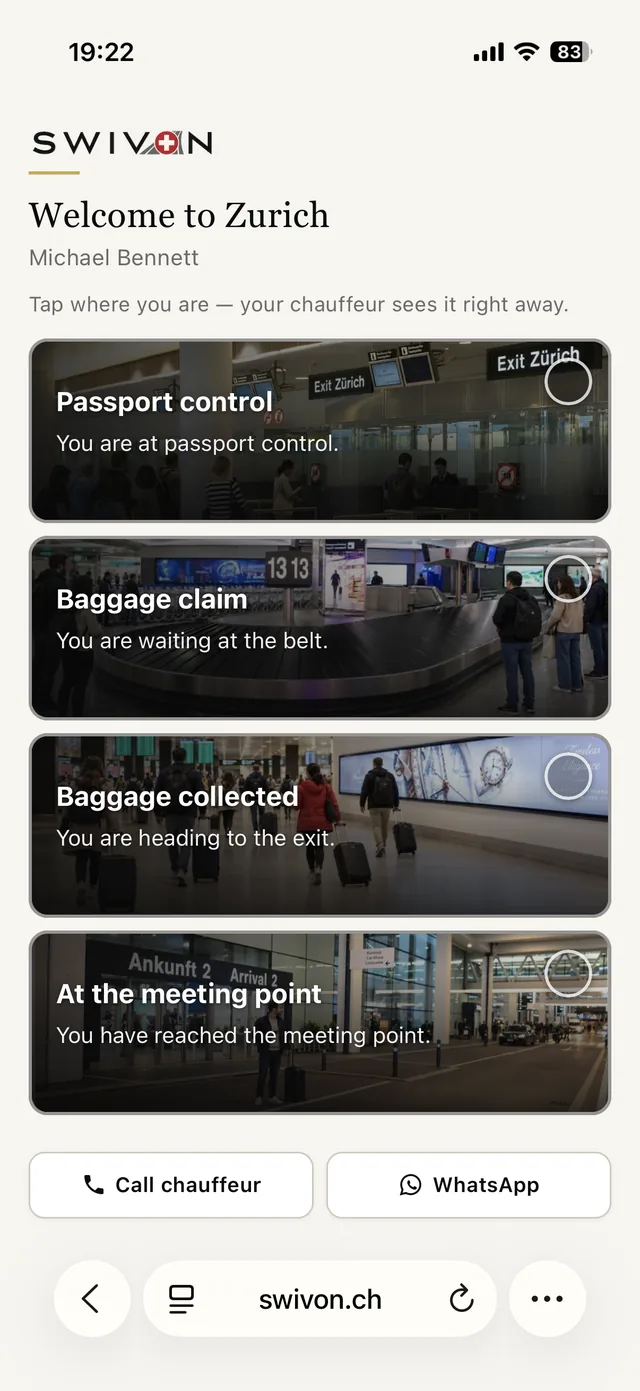
1. Passport control
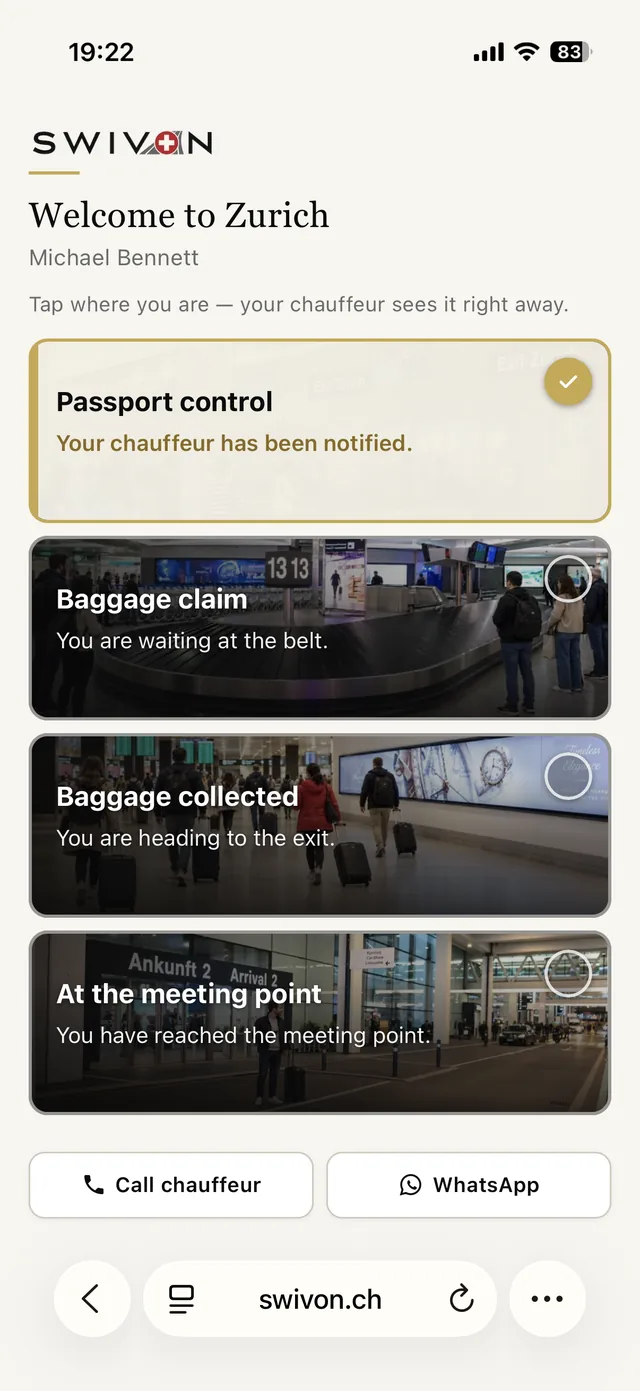
As soon as you are waiting in line at passport control, tap the first field. Your chauffeur then knows that you have landed and are in the terminal — and roughly how much time he still has.
2. Baggage claim
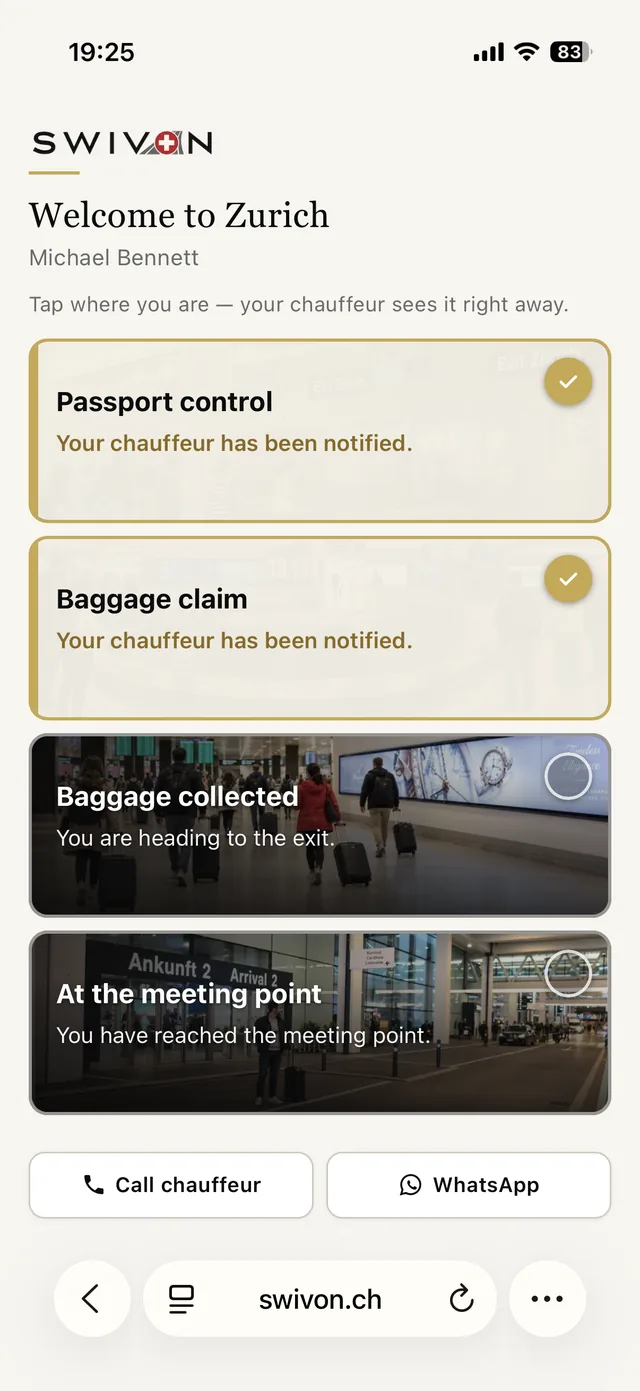
You are standing at the belt waiting for your suitcase. This is the stretch that can be planned least of all: sometimes five minutes, sometimes half an hour. That is precisely why it is a step of its own.
3. Baggage collected
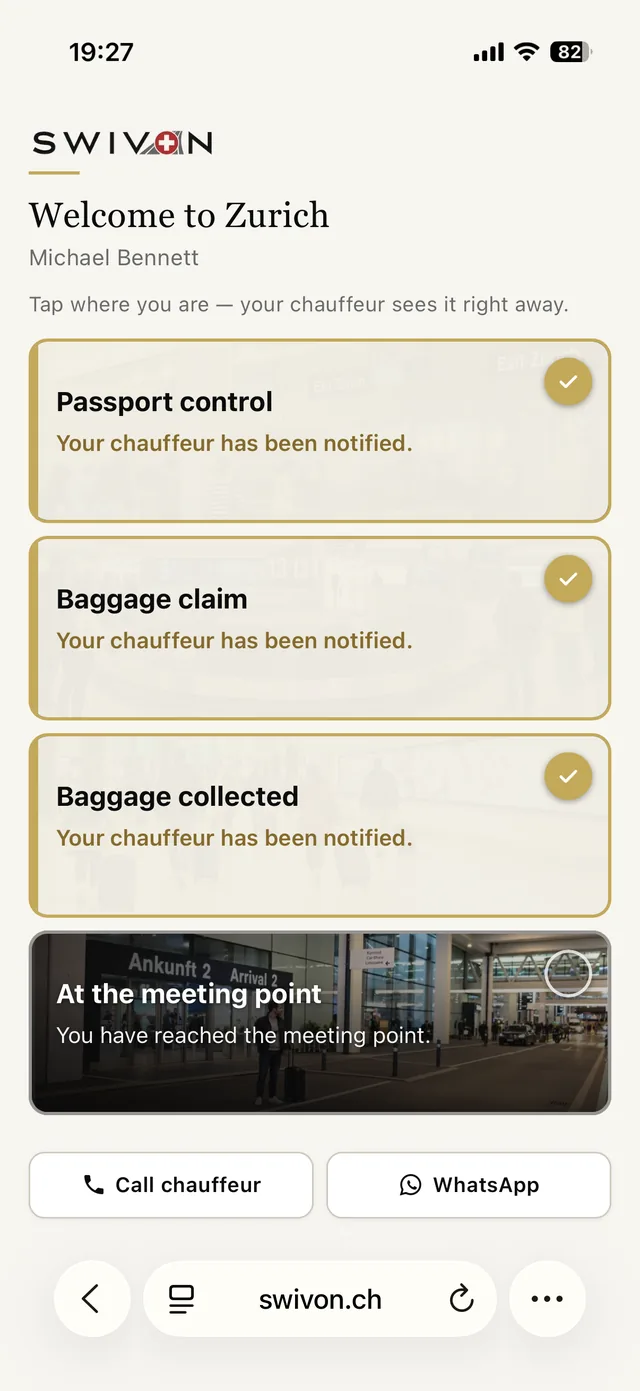
Suitcase in hand, you head for the exit. This is the most important report on the whole page: from now on it is only a few minutes until you are standing outside — and your chauffeur can set off.
4. At the meeting point
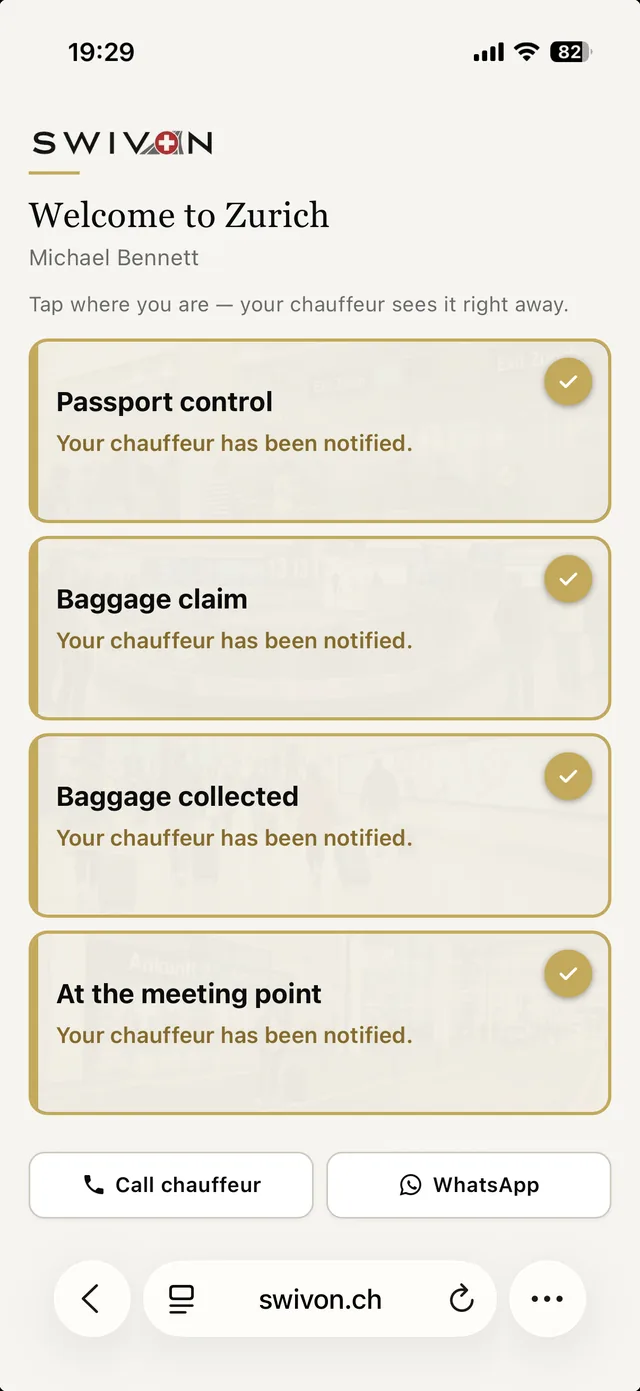
You are at the agreed spot. If you are not sure whether you are standing in the right place: on the same page you will find your chauffeur’s telephone number, one call away.
One tap is enough
You do not have to tap every step individually. If you only think of the page at the exit and tap Baggage collected there, you have reported Passport control and Baggage claim as done as well. The steps only run forward — an accidental tap on an earlier field does not take anything back.
What else is on the page
Besides the four fields you will find everything you might need at the airport:
- Your name, so you can check that you have opened the right link.
- Your chauffeur’s name and telephone number — as a button, one tap and the phone dials.
- WhatsApp to the same chauffeur, in case you prefer writing to speaking.
- Our office number, if you would rather speak to us than to the chauffeur.
Should we assign a different chauffeur to your journey on short notice, the number on your page changes by itself. The link stays the same — you do not have to open anything again.
If you would rather call us than the chauffeur
Not every question belongs at the wheel. If your plans change on short notice or you would like to clarify something at the airport, you can reach us directly — our number is already on the same page.
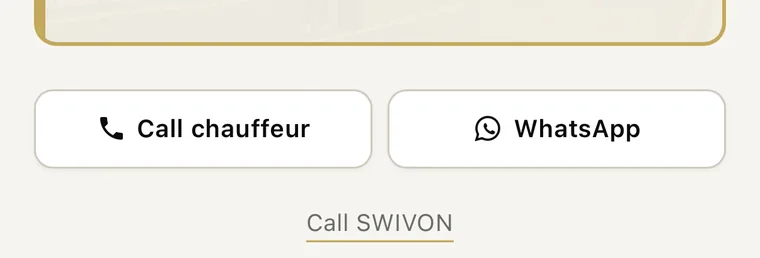
The two buttons stay stuck to the bottom edge of the screen as you scroll, so that they are always within reach. Our number lies below them: scroll briefly to the end of the page and Call SWIVON appears. One tap on it and your phone dials — it is always the same number, no matter who is driving you that day.
No app, no sign-up, no location
The page is an ordinary web page. There is nothing to install, no account to create and no password to remember. Nor do we ask your phone for your location: what is reported is solely the field that you tap yourself.
The page is deliberately kept very small and loads without web fonts, without videos and without advertising components. That is not a cost-cutting measure but a deliberate choice — after a long-haul flight you are often on a slow roaming network, and that is precisely when it still has to open.
When the network is poor
Inside the terminal reception is weak in places, and in airplane mode you have none at all. Tap anyway: your phone remembers the report and sends it on as soon as there is a network again. You do not have to reload the page for that or tap anything a second time — it takes care of that by itself.
How to tell whether your chauffeur already knows
The circle at the top right of the card tells you where things stand:
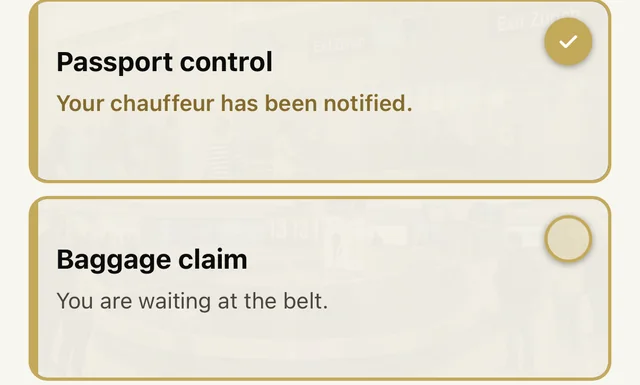
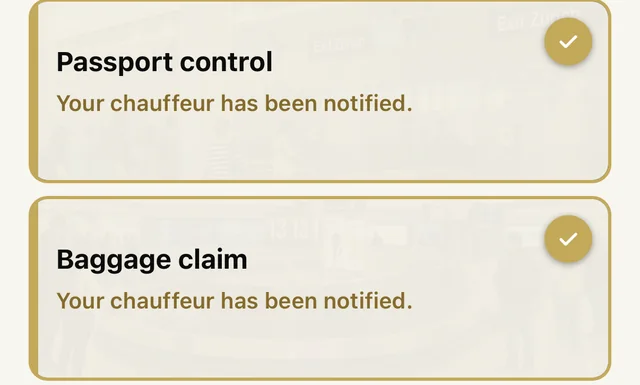
So the check mark only appears once the report has actually reached us: you never see a confirmation that does not in fact exist. Conversely, nothing is lost merely because you happened to have no network when you tapped — the page keeps trying of its own accord until it has worked.
What happens if you tap nothing at all
Then the journey runs like any other. Your chauffeur is on site at the agreed time, with a name sign in the arrivals hall if you have booked that. The link is an offer, not a condition — it shortens the waiting time for both sides, nothing more.
What happens to your data
The page shows your name, your journey and your chauffeur’s contact details. What is stored is which field you tapped and when — nothing beyond that.
- The page is blocked from search engines and does not appear in any search result. The title of the browser window says only “SWIVON”, not your name.
- Every link is valid only for your one journey. After that it expires; anyone who opens it later sees nothing but the note that the journey has been completed.
- The data is deleted automatically after 30 days.
Frequently asked questions
Do I have to install anything?
No. The link opens an ordinary web page in your phone’s browser. There is no app and no account.
Does SWIVON see where I am?
No. We do not ask your phone for your location. Only the field that you tap yourself is transmitted.
I only thought of it at the exit — is that a problem?
No. Simply tap where you are at that moment; the earlier steps then automatically count as done.
I tapped the wrong field by accident.
That cannot be undone, but it does no harm either — the steps only run forward. If you are unsure, call your chauffeur directly; the number is on the same page.
I have hardly any reception in the terminal.
Tap anyway. The report is sent on as soon as there is a network again, and the check mark only appears once it has reached us.
How soon will the vehicle be outside?
As a rule within a few minutes, within five at the latest. Your chauffeur sets off as soon as your report arrives — which is why the tap on Baggage collected is worth the most: from there it is only a few steps for you to the door.
Can several people use the same link?
Yes, feel free to pass it on within your group — anyone can open it. It is best, though, if one person takes care of the tapping: the furthest report always counts anyway, and with one person responsible your chauffeur knows exactly where he stands.
Does the link also apply to the return journey?
No. It belongs to this one arrival. For a further journey you receive a new link.